
01
Create your buyer account
Open the Offer Board, select Buyer signup and enter your account details. Create a password, then submit the registration form.
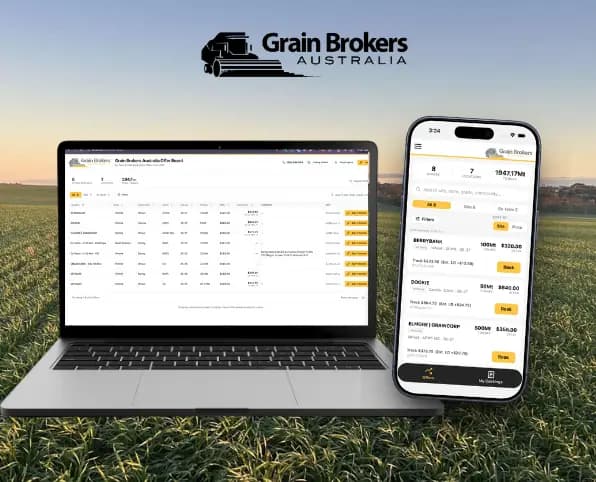
The Grain Brokers Australia Offer Board puts live grower offers directly in the hands of buyers, making grain easier to access and creating greater liquidity for growers.
How to sign up
Each person at your company can have their own secure login. Every account must be verified and approved before it can book offers.
Open the Offer Board, select Buyer signup and enter your account details. Create a password, then submit the registration form.
Open the confirmation email we send and follow the verification link. If it does not arrive, check your junk or spam folder.
Once your email is confirmed, Grain Brokers Australia will review your account and connect it to your buyer company. Online booking is available after approval.
How to book tonnes
Use the board to find the right grain, request the quantity you need and follow its progress from one shared company view.
Online bookings are open every day from 10:00am to 5:00pm in the offer state's local time. The Offer Board automatically accounts for Australian time zones and daylight saving. Outside these hours you can still browse offers, but booking reopens at 10:00am.
Requests remain pending until accepted or cancelled. Prices shown are indicative and may change until confirmed. Grain Brokers Australia may reject a booking request at its discretion.
Return to the Offer Board and select Log in. The board works on desktop and mobile, so you can view and book offers wherever you are.
Search or filter by location, state, commodity, grade or season. Review available tonnes, offer price, track price, site or ex-farm pricing, and grower comments.
Between 10:00am and 5:00pm in the offer state's local time, select Sign in to book beside an offer, enter the tonnes required and add any useful notes. You can request the full quantity or make a partial booking for fewer tonnes.
The Bookings page shows the status of every request submitted by approved members of your company. In Settings, you can see approved members and update your mobile number.
After a booking is accepted, a broker will create the order with the standard terms and conditions. We will contact you if any details need to be confirmed.
Partial bookings are welcome. If an offer is larger than your requirement, request a smaller amount—such as 500 or 1,000 tonnes—and submit it for review.
Approved users at your firm share the same company booking page, so the whole team can see requests and their current status. Contact GBA if a team member’s access needs to be removed.
Take GBA with you
Keep Grain Brokers Australia close at hand on iPhone or Android. The Offer Board itself is also fully accessible in your phone’s web browser.

Ready to get started?
If someone leaves your company, your team needs to flag it with Grain Brokers Australia so the account can be removed or deactivated.